



Protect PC from Hackers – Essential Guide to Secure Your Computer Online
Hackers often target computers with weak security, but you can stop them with simple steps. Keep your system and software updated, use strong unique passwords, and install reliable antivirus programs. Avoid clicking unknown links, downloading suspicious files, or visiting unsafe websites. Enable your firewall and regularly back up important data to stay safe. By following these easy precautions, you can block most cyberattacks and protect your computer from hackers before any damage happens.
This guide will provide a step by step approach to fortifying your PC against malicious attacks.
Understanding the Threat – How Hackers Target PCs
Hackers employ a wide range of techniques to compromise computers. Understanding these threats is the first step in protection:
- Malware and Ransomware: Malicious software that can steal files, encrypt data, or take control of your system. Ransomware can lock your files until a ransom is paid.
- Phishing Attacks: Fraudulent emails or messages designed to trick users into revealing passwords, banking details, or other sensitive information.
- Keyloggers: Software or hardware that records every keystroke to steal credentials.
- Network Intrusions: Unauthorized access through unsecured Wi Fi or poorly configured networks.
- Zero Day Exploits: Attacks targeting vulnerabilities in software before developers release patches.
Understanding these threats allows us to implement precise defensive measures.
Introduction to PC Security
In today’s digital world, learning how to protect PCs from hackers is no longer optional, it is essential. Every day, millions of cyberattacks target personal computers, laptops, and online accounts. Hackers often search for weak security systems, outdated software, or careless browsing habits to gain access to sensitive data.
When you protect a PC from hackers, you safeguard more than just your files. You protect your personal identity, financial information, online accounts, and digital privacy. Without proper protection, attackers can steal passwords, install malicious software, or even control your computer remotely.
Fortunately, strengthening computer security isn’t as complicated as it sounds. By applying the right strategies such as installing security software, using strong passwords, and practicing safe browsing habits you can dramatically reduce the risk of cyberattacks.
Understanding Hackers and Cyber Threats
Before you can effectively protect PCs from hackers, it’s important to understand who hackers are and how they operate.Hackers are individuals or groups who attempt to access computer systems without permission. While some hackers work ethically to improve security, many exploit vulnerabilities for financial gain, data theft, or malicious purposes.
Common Types of Hackers
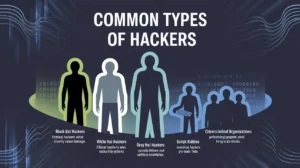
Cybersecurity experts generally categorize hackers into several groups:
Black Hat Hackers – Criminal hackers who steal information or cause damage.
White Hat Hackers – Ethical hackers who test security systems
Gray Hat Hackers – Operate between ethical and unethical boundaries.
Script Kiddies – Inexperienced hackers using pre-made tools.
Cybercriminal Organizations – Professional groups conducting large scale attacks.
Understanding these categories helps explain why it’s vital to protect PCs from hackers at all times.
Why Hackers Target Personal Computers
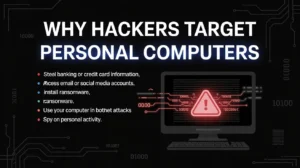
Many people believe hackers only target corporations or governments. In reality, personal computers are frequent targets because they often have weaker security.Hackers may target PCs to:
- Steal banking or credit card information
- Access email or social media accounts
- Install ransomware
- Use your computer in botnet attacks
- Spy on personal activity
Because of these risks, learning how to protect PCs from hackers should be a priority for every computer user.
Understanding How Hackers Attack Your Computer
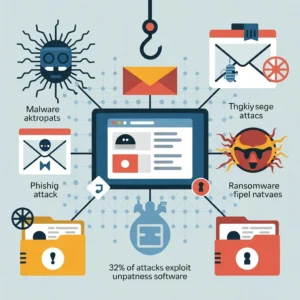
Before you can effectively protect your computer, it helps to understand how hackers actually gain access to it. Many people imagine hackers breaking into systems using complicated code or advanced techniques. While that does happen, most successful attacks rely on simple vulnerabilities or human mistakes.
Hackers generally target weak security points such as outdated software, weak passwords, and malicious downloads. Once they gain entry, they may steal data, install spyware, or take complete control of the device. These attacks often happen in the background, making them difficult for users to detect until noticeable problems appear.
Cybercriminals constantly develop new strategies, but most attacks fall into a few common categories. By recognizing these threats, users can better protect themselves and prevent potential breaches.
Malware and Ransomware Attacks
Malware is a broad term used to describe malicious software designed to damage or control a computer system. This includes viruses, spyware, trojans, and ransomware. These programs often enter a system through infected downloads, email attachments, or malicious websites.
Once malware is installed, hackers can monitor user activity, steal passwords, or even lock files until a ransom is paid. Some ransomware attacks encrypt the victim’s entire system, preventing access to personal data until payment is made.
Outdated software significantly increases the risk of malware infections. Studies indicate that around 32 percent of cyberattacks exploit unpatched software vulnerabilities, meaning systems without security updates are easy targets for hackers.
Phishing and Credential Theft
Another common method hackers use is phishing. In a phishing attack, cybercriminals trick users into revealing their login credentials by pretending to be legitimate organizations such as banks, social media platforms, or online services.
These attacks often arrive as emails, fake websites, or messages containing malicious links. Once a user enters their password on a fake page, hackers immediately gain access to the account.
Credential theft has become especially dangerous because hackers can use stolen passwords to access multiple services. If a user reuses the same password across several websites, one breach can compromise dozens of accounts
Why Protecting Your PC from Hackers Is More Important Than Ever
Cybersecurity is no longer just a concern for large companies or government organizations. Today, everyday computer users are among the most common targets for hackers. Your personal computer contains sensitive information such as passwords, banking data, emails, photos, and private files. If hackers gain access to this data, the consequences can be serious identity theft, financial loss, and privacy violations are only a few examples.
The threat landscape has grown rapidly in recent years. Reports show that cyberattacks are increasing worldwide, and modern attackers are using automated tools, artificial intelligence, and large scale botnets to target vulnerable devices. In fact, credential theft increased by 160 percent in 2025, making stolen passwords one of the most common causes of security breaches. These attacks often happen silently, meaning many users do not even realize their computers have been compromised until significant damage has already occurred.
Another alarming trend is the growth of automated attacks on networks and computers. Cybersecurity researchers reported millions of attacks per year, with many occurring every second on the internet. This shows how important it is to protect your computer before it becomes a target.
The good news is that protecting your PC from hackers does not require advanced technical knowledge. With a few simple security habits and the right tools, you can dramatically reduce your risk. By understanding common hacking techniques and following proven security practices, you can create strong defenses around your personal computer and keep your digital life safe.
Warning Signs That Your PC Might Be Hacked
Recognizing the warning signs of a compromised computer can help you respond quickly and prevent further damage. Many cyberattacks operate silently, but they often leave subtle clues behind.
One common sign is unusually slow computer performance. Malware often runs hidden processes in the background, consuming system resources and causing noticeable slowdowns. Another warning sign is unexpected pop-ups, advertisements, or browser redirects. These can indicate the presence of adware or malicious browser extensions.
You may also notice unfamiliar programs installed on your computer. Hackers sometimes install remote access tools that allow them to control the device without the user’s knowledge. Sudden password changes or login alerts from unknown locations can also signal unauthorized access to your accounts.
Strange network activity is another red flag. If your internet connection becomes unusually slow or your firewall reports suspicious connections, your computer may be communicating with external servers controlled by hackers.
The key is not to ignore these warning signs. When unusual activity appears, it is important to run a full security scan and investigate the issue immediately.
Essential Steps to Protect Your PC from Hackers
Protecting your computer does not require expensive tools or complicated techniques. Most cybersecurity experts agree that simple preventive measures provide the strongest defense. By combining good security habits with reliable software, you can significantly reduce the risk of hacking attempts.
Keep Your Operating System Updated
One of the easiest ways to protect your computer is to keep your operating system and software updated. Security updates are released regularly to fix vulnerabilities that hackers may exploit.
Many users delay updates because they find them inconvenient. However, ignoring updates leaves your computer exposed to known security flaws. Operating systems like Windows include automatic update features that ensure critical patches are installed as soon as they become available.
Experts strongly recommend enabling automatic updates not only for the operating system but also for browsers, plugins, and applications. Even a single outdated application can become an entry point for hackers.
Install Reliable Antivirus Software
Antivirus software is one of the most important tools for protecting your PC. These programs detect and remove malicious files before they can damage your system.
Modern antivirus programs provide real time protection against viruses, spyware, ransomware, and phishing attacks. They also scan downloads, monitor network activity, and block suspicious websites.
Statistics show that computers without antivirus protection are significantly more vulnerable to malware infections. In one report, nearly 33% of computers without antivirus software were compromised by malware.
Use Strong and Unique Passwords
Passwords remain one of the most common security weaknesses. Many users still rely on simple passwords such as 123456 or passwords which can be cracked within seconds.
A strong password should include a combination of uppercase letters, lowercase letters, numbers, and special characters. It should also be at least 12 characters long and unique for every account.
Why Password Managers Are Important
Managing dozens of complex passwords can be difficult. This is where password managers become extremely useful. These tools securely store login credentials and generate strong passwords automatically.
Using a password manager reduces the temptation to reuse passwords across multiple accounts. If one account becomes compromised, your other accounts remain protected.
Enable Two Factor Authentication
Two factor authentication adds an additional layer of security to online accounts. Instead of relying only on a password, users must verify their identity using a second method such as a code sent to their phone or an authentication app.
Even if hackers manage to steal your password, they cannot access your account without the second verification step. This simple security feature dramatically reduces the risk of unauthorized access.
Secure Your Internet Connection and Wi Fi Network
Your home network acts as the gateway to every device connected to the internet. If your router is poorly secured, hackers may gain access to your entire network.
Changing the default router password is one of the most important steps you can take. Many routers are shipped with simple default credentials that attackers can easily guess. Using strong encryption such as WPA3 and disabling unnecessary features like remote management can also improve security.
Creating a separate guest network for visitors helps isolate personal devices from potential threats. This ensures that even if a guest device becomes infected, it cannot easily spread malware to other devices on the network.
Avoid Suspicious Downloads and Websites
Many hacking incidents begin with a simple mistake downloading a file from an untrusted source or clicking on a suspicious link. Malicious software is often disguised as free programs, cracked applications, or fake updates.
To reduce your risk, always download software from official websites or trusted sources. Avoid pirated software and unknown file-sharing platforms, as these frequently contain hidden malware.
Be cautious when opening email attachments, especially if they come from unfamiliar senders. Hackers often use attachments or links to install malicious software through a technique known as a drive by download.
Use a Firewall for Extra Protection
A firewall acts as a barrier between your computer and the internet. It monitors incoming and outgoing network traffic and blocks suspicious connections.
Most modern operating systems include built in firewalls, but many users disable them without realizing the risk. Keeping your firewall enabled helps prevent unauthorized access and stops malicious programs from communicating with external servers.
Think of a firewall as a security guard for your computer. While antivirus software scans files for threats, the firewall controls who can interact with your system.
Signs Your PC Might Be Hacked
Even with strong security, it’s wise to recognize early warning signs of potential hacking. Detecting suspicious activity quickly can prevent serious damage.
Strange System Behavior
One of the most common indicators that your system has been compromised includes unusual computer behavior.Watch for signs such as:
- Sudden slow performance
- Programs opening automatically
- Random pop up advertisements
- Unknown software installations
- Browser redirects
These symptoms could indicate malware attempting to bypass security and gain access to your system.
Unauthorized Access Attempts
Another major red flag involves security alerts or login notifications.Possible warning signals include:
- Password reset emails you didn’t request
- Login alerts from unfamiliar locations
- Locked accounts
- Unknown devices connected to your system
If you notice any of these issues, take action immediately to Protect PC from Hackers by scanning your system and changing passwords.
Essential Ways to Protect PC from Hackers
Now let’s explore the most important strategies you can implement to keep your computer safe.
Install Trusted Antivirus Software
Antivirus software acts as the first line of defense when you protect a PC from hackers.
A reliable antivirus program can:
- Detect malicious files
- Remove viruses and spyware
- Block suspicious downloads
- Prevent ransomware attacks
Choose security software that offers real-time protection and automatic updates.
Enable Firewall Protection
A firewall works like a digital gatekeeper between your computer and the internet.Firewalls help:
- Block unauthorized connections
- Prevent malicious traffic
- Monitor incoming and outgoing data
Most operating systems include built in firewalls, but you should ensure they remain activated at all times.
Keep Software Updated
Outdated software is one of the biggest security risks. Hackers frequently exploit vulnerabilities in old software versions.Always update:
- Operating systems
- Web browsers
- Security software
- Installed applications
Regular updates patch security flaws and help protect PCs from Hackers more effectively.
Strengthening Password Security
Passwords remain one of the most important defenses against cyberattacks.
Use Strong Passwords
Weak passwords are easy targets for hackers using automated cracking tools.
A strong password should include:
- At least 12 characters
- Uppercase and lowercase letters
- Numbers
- Special symbols
Avoid using personal details like birthdays or names.
Enable Two Factor Authentication
Two factor authentication provides an extra security layer.With 2FA enabled:
- You enter your password.
- A second code verifies your identity.
Even if hackers obtain your password, they cannot access your account without the second verification step.This method significantly helps protect PCs from hackers and is recommended for email, banking, and social media accounts.
Safe Browsing Habits
Many cyberattacks begin while browsing the internet.
Recognizing Phishing Scams
Phishing attacks trick users into revealing sensitive information.Common phishing tactics include:
- Fake emails requesting login details
- Fraudulent websites
- Urgent security warnings
- Suspicious attachments
Always verify the sender before clicking links or downloading files.
Secure Website Practices
When browsing online, follow these safety guidelines:
- Check for HTTPS encryption
- Avoid unknown downloads
- Verify website authenticity
- Avoid public Wi Fi for sensitive activities
These practices help protect PCs from hackers and prevent malicious downloads.
Protecting Your Network
Securing your internet connection is another essential step in computer security.
Secure Your Router
Many people forget that routers can also be hacked.To improve router security:
- Change default login credentials
- Enable WPA3 or WPA2 encryption
- Update router firmware
- Disable remote management
Use VPN Services
A Virtual Private Network (VPN) encrypts your internet connection.Benefits include:
- Hiding your IP address
- Protecting online privacy
- Securing public Wi Fi connections
VPNs provide another powerful way to protect PCs from hackers, especially when traveling or working remotely.
Regular Backups and Data Encryption
Even with strong defenses, breaches can occur. Protect your data with:
- Regular backups: Store copies in cloud storage or external drives.
- Full disk encryption: Encrypting your PC ensures that even if data is stolen, it remains unreadable.
- Versioned backups: Maintain multiple copies to recover from ransomware attacks or accidental deletion.
These precautions provide a safety net, ensuring continuity and data integrity.
Backup Important Data Regularly
Data backups protect you from ransomware attacks. Therefore, backups become essential for security planning.Hackers sometimes lock files and demand payment. However, backups remove this risk completely.Recommended backup methods include:
- Use cloud storage services
- Store backups on external drives
- Schedule automatic backups
- Keep backup devices offline
As a result, data recovery becomes quick and stress-free.
Backup and Recovery Strategies
Even the best security systems cannot guarantee complete protection. That’s why backups are essential.
Cloud Backup
Cloud storage allows you to safely store important files online.Advantages include:
- Automatic backups
- Remote file access
- Disaster recovery
External Backup Devices
Offline backups offer another level of protection.You can store files using:
- External hard drives
- USB storage devices
- Network attached storage
Regular backups ensure that if hackers deploy ransomware, you will not lose your valuable data.
Protect Your Data with Regular Backups
Even the most secure systems can become victims of cyberattacks. This is why regular backups are essential. Backups allow you to restore your files if they become corrupted, encrypted by ransomware, or accidentally deleted.
Experts recommend maintaining both cloud backups and offline backups. Keeping a copy of important files on an external drive ensures you can recover your data even if your entire system becomes compromised.
Automated backup systems make this process easy by creating regular backups without requiring manual effort.
Enable a Strong Firewall Protection
A firewall blocks suspicious network traffic. Therefore, it acts as the first defense layer.
Most operating systems include built-in firewall protection. However, many users disable it unknowingly.
- To protect your PC from hackers:
- Enable your system firzwall immediately
- Block unknown incoming connections
- Monitor unusual network activity
As a result, hackers cannot easily access your computer remotely.
Install Reliable Antivirus and Anti Malware Software
Using a trusted antivirus solution is non-negotiable. Antivirus software detects, quarantines, and removes malicious files before they can harm your system. Modern security suites also include:
- Real time threat monitoring
- Firewall management
- Anti phishing protection
- Ransomware shields
Regularly updating antivirus definitions ensures protection against the latest threats. Combine this with periodic full system scans for comprehensive security.
Create Strong and Unique Passwords
Weak passwords remain a major hacking vulnerability. Therefore, strong credentials improve security dramatically.Avoid simple passwords like names or birth dates. Instead, use complex combinations.Effective password tips include:
- Use at least 12 characters
- Combine letters, numbers, and symbols
- Avoid using the same password everywhere
- Use a password manager
Additionally, change passwords regularly to maintain protection.
Keep Your Operating System Updated
Outdated software creates security holes. Therefore, hackers exploit those vulnerabilities quickly.Software updates fix security weaknesses. Moreover, updates strengthen system protection.Important update habits include:
- Enable automatic system updates
- Install patches immediately
- Update drivers and applications
- Remove unsupported software
As a result, attackers struggle to exploit your system.
Avoid Suspicious Emails and Links
Phishing remains a common hacking technique. Therefore, email awareness becomes essential.Hackers send fake emails to steal information. However, careful users can easily avoid these traps.Always follow these precautions:
- Do not click unknown links
- Avoid downloading unexpected attachments
- Verify suspicious email senders
- Never share personal data through email
Consequently, phishing attacks become far less effective.
Use Secure Internet Connections
Public Wi Fi networks often lack security. Therefore, hackers frequently target those connections.Sensitive activities require secure networks. Additionally, encryption protects data transmission.Protect your internet usage by:
- Avoiding public Wi Fi for banking
- Using a VPN for secure browsing
- Securing your home Wi Fi with strong passwords
- Enabling WPA3 or WPA2 encryption
As a result, hackers cannot intercept your data easily.
Enable Two Factor Authentication
Two-factor authentication adds another security layer. Therefore, even stolen passwords become less dangerous.This method requires two verification steps. Usually, users confirm identity through mobile codes.Benefits include:
- Stronger account protection
- Reduced risk of unauthorized access
- Protection against password leaks
Consequently, accounts stay secure even during data breaches.
Keep Your Operating System Updated
One of the most fundamental steps in PC protection is ensuring your operating system is always up-to-date. Updates often contain security patches that close vulnerabilities exploited by hackers. Both Windows and macOS regularly release updates that address newly discovered threats. Ignoring updates leaves your system exposed to known exploits, making your PC an easy target.
Install and Maintain Reliable Antivirus Software
Malware often becomes the gateway for hackers. Therefore, antivirus protection is critical.
Modern security tools detect threats instantly. Additionally, they remove spyware, ransomware, and trojans.Follow these practices:
- Install trusted antivirus software
- Enable real time protection
- Schedule automatic scans
- Update virus definitions regularly
Consequently, your system remains protected from hidden cyber threats.
Enable a Strong Firewall
A firewall acts as a barrier between your computer and the internet, filtering incoming and outgoing traffic. Both software based and hardware firewalls add layers of defense:
- Windows Firewall: Built in and customizable to block suspicious applications.
- Third Party Firewalls: Offer enhanced monitoring, intrusion alerts, and advanced controls.
Firewalls help prevent hackers from exploiting open ports or accessing your PC remotely.
Use Complex Passwords and Multi Factor Authentication
Weak passwords are a hacker’s easiest entry point. Protect your accounts and system with:
- Complex passwords: Use a mix of uppercase, lowercase, numbers, and symbols.
- Password managers: Tools like LastPass or 1Password store secure, unique passwords.
- Multi factor authentication : Adds an extra layer of security, requiring verification through a secondary device or app.
Adopting these measures drastically reduces the risk of unauthorized access.
Be Cautious with Emails and Downloads
Phishing attacks often target unsuspecting users through emails or downloads. To prevent falling victim:
- Avoid clicking unknown links or attachments.
- Verify sender addresses carefully.
- Use email services with built in spam and phishing detection.
- Only download software from official websites or trusted sources.
Educating yourself and others on safe browsing habits is crucial for human firewall protection.
Secure Your Network
An unsecured network is a prime target for hackers. Ensure your home or office Wi Fi is safe:
- Use WPA3 encryption: The latest standard for Wi Fi security.
- Change default router credentials: Avoid leaving factory usernames and passwords.
- Disable WPS: Prevents easy unauthorized access.
- Set up a guest network: Separates personal devices from visitors devices.
A secure network reduces the likelihood of man in the middle attacks and unauthorized intrusions.
Monitor System Activity and Unusual Behavior
Unusual computer behavior may signal hacking attempts. Therefore, early detection prevents major damage.Common warning signs include:
- Sudden system slowdowns
- Unknown progrzms running
- Unexpected pop ups
- Strange network activity
Therefore, scanning your system immediately becomes crucial.
Final Thoughts on Protecting Your PC from Hackers
Cybersecurity requires constant attention. However, simple habits provide powerful protection.
Strong passwords, antivirus software, and regular updates reduce hacking risks significantly. Moreover, safe browsing habits strengthen overall security.
Therefore, apply these strategies today. Your PC will remain safer, faster, and far more secure.
Use Browser Security Extensions
Web browsers are frequent points of attack. Enhance protection with:
- Ad blockers and anti tracking tools
- Script blockers to prevent malicious JavaScript execution
- HTTPS enforcement extensions to ensure secure connections
- Password manager integration for safer logins
These extensions help mitigate risks posed by malicious websites and online trackers.
Limit Administrative Privileges
Operating your PC under an administrator account for daily tasks increases vulnerability. Instead:
- Use a standard user account for regular activities.
- Only elevate privileges when necessary for installations or updates.
- Restrict access to sensitive files or system folders.
This approach reduces the impact of malware that attempts to modify system files.
Educate Yourself and Stay Updated
Hackers continually evolve their techniques. Staying informed is crucial:
- Follow cybersecurity news and blogs.
- Subscribe to alerts from software vendors.
- Attend webinars or training on safe computing practices.
- Regularly review and update your security protocols.
A well informed user is a formidable defense against cyber threats.
Advanced Security Measures
Users who want maximum protection can implement advanced cybersecurity techniques.
Encryption Tools
Encryption converts data into unreadable code.This protects:
- Sensitive documents
- Stored passwords
- Personal files
Even if hackers access encrypted files, they cannot read them without the correct key.
Monitoring Software
Security monitoring tools track unusual system activity.They can:
- Detect unauthorized access
- Alert users to suspicious behavior
- Prevent data leaks
These tools provide extra assurance when you protect PCs from hackers.
Which malicious program is used by hackers?
Hackers use a variety of malicious programs, commonly referred to as malware, to compromise computer systems. This includes viruses, which replicate and spread; worms, which self-propagate across networks; trojans, which disguise themselves as legitimate software; ransomware, which encrypts files and demands payment; and spyware, which secretly monitors user activity. Each type serves a different purpose, from stealing passwords to gaining full control of a system. Hackers often combine multiple malware types in sophisticated attacks to maximize damage and evade detection. The key to defending against these programs is a combination of strong antivirus software, firewalls, and cautious user behavior when downloading files or visiting websites.
Can hackers see your PC screen?
Yes, hackers can see your PC screen if they manage to install remote access malware or a remote desktop trojan on your computer. Tools like Remote Access Trojans allow cybercriminals to control your computer completely, including monitoring your screen in real time, opening files, or even using your webcam. Many hackers exploit weak passwords, outdated software, or unprotected networks to gain this access. Regular system updates, strong passwords, disabling remote desktop features, and using antivirus software can prevent unauthorized screen access.
What is the best computer protection against hackers?
The best protection against hackers is a multi layered security approach. This includes keeping your operating system and software up to date, using strong and unique passwords with two-factor authentication, installing a reliable antivirus and firewall, securing your Wi Fi network, and avoiding suspicious downloads or phishing links. Advanced users may also implement full disk encryption and VPNs for added security. Essentially, the strongest protection comes from combining software defenses, safe online habits, and proactive monitoring to prevent unauthorized access.
What are the 12 signs your computer has been hacked?
There are several warning signs that may indicate your computer has been compromised:
- Unusually slow performance
- Unexpected pop ups or advertisements
- Unknown programs installed
- Frequent system crashes
- Changes to your homepage or browser settings
- Suspicious network activity
- Unauthorized password changes
- Emails sent from your account without your knowledge
- Files encrypted or missing
- Antivirus disabled without your consent
- Overheating due to high CPU usage
- Strange notifications from unknown apps
Recognizing these signs early and taking immediate action can prevent further damage or identity theft.
How will I know if my PC is hacked?
You may know your PC is hacked if you notice unusual activity, such as unexpected program installations, slow performance, unauthorized account access, or unusual network usage. Additionally, antivirus alerts, strange pop-ups, and notifications from your firewall may indicate malware. Running a full system scan with trusted security software and monitoring recent login activity for all accounts helps confirm whether your system has been compromised.
What is the symbol of a hacker?
The symbol most commonly associated with hackers is the Guy Fawkes mask, popularized by the group Anonymous and hacker culture in general. It symbolizes anonymity, rebellion, and secrecy. In broader terms, hacker symbols may also include skulls, hooded figures, and digital motifs, representing stealth, cyber prowess, and sometimes defiance against authority or corporations. These symbols are widely recognized in cybersecurity communities, media, and pop culture.
Who is the 1 best hacker?
While the best hacker is subjective, Kevin Mitnick is often considered one of the most famous and skilled hackers in history. Once a notorious hacker, he later became a cybersecurity consultant and author. Mitnick was known for exploiting social engineering and system vulnerabilities, demonstrating the power of human psychology in hacking. Today, he is celebrated for transforming his skills into ethical hacking practices, teaching organizations how to defend against cyber threats.
How do hackers see your password?
Hackers can see or steal passwords through various methods: phishing attacks, which trick users into entering login details on fake websites keylogging malware, which records keystrokes; data breaches, where leaked databases contain unencrypted passwords; and brute force attacks, where software attempts multiple password combinations until it succeeds. Using strong, unique passwords and two factor authentication is the most effective defense against password theft.
What are three types of hackers?
Hackers are generally classified into three main types based on intent:
White Hat Hackers – Ethical hackers who help organizations strengthen security.
Black Hat Hackers – Malicious hackers who exploit vulnerabilities for personal gain.
Gray Hat Hackers – Individuals who may breach systems without permission but usually without malicious intent; sometimes they report vulnerabilities afterward.
Understanding these categories helps users distinguish between ethical cybersecurity professionals and potential threats.
What type of code do hackers use?
Hackers use various types of code depending on the attack they want to execute. Common types include:
- Scripting languages like Python, JavaScript, or Bash for automation.
- Exploit code targeting software vulnerabilities.
- SQL injections for database breaches.
- Malware and virus code written in languages like C, C++, or Assembly.
These codes are designed either to manipulate systems, steal data, or bypass security measures. Ethical hackers also use similar code to test system security.
How do hackers know your name?
Hackers can discover your name through data leaks, social media profiles, email accounts, online forms, or phishing scams. Publicly available information on social networks, forums, or even WHOIS domain registrations can give hackers personal details. Once they gather your name, they can craft targeted social engineering attacks like personalized phishing emails, increasing the chance of success.
Which skill is best for cyber security?
The best skill for cybersecurity is ethical hacking combined with network security knowledge. Skills such as penetration testing, vulnerability assessment, coding, cryptography, and understanding operating systems are highly valuable. Analytical thinking, problem-solving, and staying updated on emerging threats are also essential, as cybersecurity is constantly evolving with new malware, ransomware, and attack vectors.
What are the top 3 programming languages?
In cybersecurity and general tech, the top three programming languages are:
- Python – Popular for automation, scripting, and ethical hacking tools.
- JavaScript – Widely used for web exploitation and understanding web vulnerabilities.
- C/C++ – Essential for understanding low-level system operations and exploit development.
Learning these languages provides a strong foundation for developing security tools and understanding how attackers manipulate systems.
What are the 7 types of cyber security?
The seven main types of cybersecurity are:
- Network Security – Protects networks from unauthorized access.
- Information Security – Safeguards sensitive data.
- Endpoint Security – Secures individual devices like computers and smartphones.
- Application Security – Protects software from attacks and exploits.
- Cloud Security – Protects data and systems in cloud environments.
- Identity Management and Access Control – Ensures only authorized users access resources.
- Disaster Recovery and Business Continuity – Prepares systems for recovery after breaches or failures.
These categories cover almost all aspects of defending digital assets.
What are the seven types of hackers?
Hackers are also classified based on expertise and intent into seven types:
- White Hat Hacker – Ethical hacker helping to secure systems.
- Black Hat Hacker – Malicious hacker exploiting vulnerabilities.
- Gray Hat Hacker – Hacker with mixed ethical intent.
- Script Kiddie – Beginner using pre-made hacking tools.
- Hacktivist – Hacks for social, political, or ideological motives.
- State Sponsored Hacker – Employed by governments for cyber-espionage.
- Cyber Terrorist – Hacks to create fear, disruption, or harm on a large scale.
Knowing these types helps organizations understand and prepare for potential threats.
Advanced Security Techniques for Maximum Protection
For users who want stronger protection, several advanced security measures can provide additional layers of defense.
Full Disk Encryption
Full disk encryption protects the data stored on your computer by converting it into unreadable code. If your device is stolen or accessed without authorization, the encrypted data cannot be read without the correct password or encryption key.Modern operating systems include built-in encryption tools that make this process simple to enable
Disable Unnecessary Remote Access
Remote access features allow users to control their computer from another location. While convenient, these features can also create security vulnerabilities if not configured properly.
Security experts recommend disabling remote desktop services and file sharing features unless they are absolutely necessary. Many ransomware attacks exploit poorly secured remote access ports to gain entry into systems.
Common Mistakes That Make PCs Easy Targets
Many users unintentionally weaken their own security. Simple habits such as ignoring software updates, using weak passwords, or downloading files from unverified sources can create opportunities for hackers.
Another common mistake is using the same password for multiple accounts. If one account becomes compromised, hackers can easily access others. Disabling security features like firewalls or antivirus protection also increases vulnerability.
Awareness is one of the most powerful tools in cybersecurity. By understanding these mistakes, users can avoid them and significantly improve their security of computers .
Best Security Habits for Everyday Computer Users
Cybersecurity is not just about software—it is also about behavior. Developing safe online habits can dramatically reduce your risk of hacking attempts.
Stay alert when browsing the internet, especially when encountering unfamiliar websites or download prompts. Regularly review your account security settings and enable additional protection features whenever possible.
Maintaining a clean and organized system also helps reduce risk. Remove unnecessary applications, update software frequently, and scan your computer regularly for potential threats.
By combining good habits with modern security tools, you can create a strong defense against hackers.
Conclusion
Protecting your PC from hackers has become a necessity in the digital age. Cyber threats are constantly evolving, and attackers are becoming more sophisticated every year. Fortunately, most successful attacks rely on simple vulnerabilities that can be prevented with the right precautions.
Keeping your system updated, using strong passwords, enabling two-factor authentication, and installing reliable security software are among the most effective ways to protect your computer. Securing your network, avoiding suspicious downloads, and maintaining regular backups further strengthen your defenses.
Think of cybersecurity as locking the doors and windows of your digital home. Each security measure adds another layer of protection, making it far more difficult for hackers to gain access.
FAQs
1. Can hackers access my computer without internet?
In most cases, hackers require an internet connection to access your system remotely. However, malware can still spread through infected USB drives or local networks.
2. What is the easiest way to protect a PC from hackers?
Installing antivirus software, enabling automatic updates, and using strong passwords are the simplest and most effective security steps.
3. Is Windows Defender enough to protect my computer?
For many users, built-in security tools such as Windows Defender provide strong basic protection. However, additional security software may offer advanced features.
4. How do hackers steal passwords?
Hackers often use phishing emails, malware, or brute force attacks to obtain passwords. Using strong passwords and two factor authentication helps prevent this.
5. What should I do if my computer gets hacked?
Disconnect from the internet immediately, run a full antivirus scan, change your passwords, and consider restoring your system from a backup.


