




Cybersecurity tips for remote workers – a complete guide
Cybersecurity tips for remote workers start with protecting your devices and internet connection. Always use strong, unique passwords and enable two-factor authentication to stop hackers from accessing your accounts. Keep your laptop and mobile updated so security patches fix new threats. Use a trusted VPN on public Wi-Fi to secure your connection and prevent data theft. Learn to spot phishing emails by checking the sender’s address, avoiding suspicious links, and never sharing personal information. One simple mistake like clicking a fake link can cost you everything, so stay alert and protect your digital life every day.
In this guide, I tell how By applying practical cybersecurity strategies, remote workers can protect their devices, secure their internet connections, safeguard sensitive information, and confidently work from anywhere without compromising safety.
Introduction – The Importance of Cybersecurity for Remote Work
With more professionals working from home than ever, ensuring strong cybersecurity practices is no longer optional .It is critical. Remote workers face a range of threats, from phishing attacks to malware infections, that can compromise personal and corporate data. Organizations are increasingly concerned about protecting sensitive information, and employees play a crucial role in maintaining security. Implementing the right cybersecurity habits not only protects devices but also ensures business continuity.
Key reasons to prioritize cybersecurity include:
- Increasing frequency of remote work cyber threats
- Protecting sensitive company and personal data
- Maintaining professional reputation and trust
- Avoiding costly financial or operational losses
Understanding Cyber Threats for Remote Workers
Remote work introduces unique vulnerabilities. Understanding these threats is the first step in preventing them.
Phishing Attacks
Phishing emails and messages are designed to trick you into sharing personal or company information. Common tactics include fake invoices, account alerts, and urgent requests from colleagues
Prevention tips:
- Verify email addresses carefully
- Hover over links before clicking
- Report suspicious emails to IT
Malware and Ransomware
Malware can infect devices through downloads, malicious attachments, or compromised websites. Ransomware locks files until a ransom is paid, often targeting businesses for maximum gain.
Preventive actions:
- Install reputable antivirus software
- Avoid unknown downloads
- Back up files regularly
The Rise of Remote Work
Over the past few years, remote work has exploded. Companies realized productivity doesn’t depend on office walls. But while flexibility increased, so did cyber threats. Hackers quickly adapted to target remote workers who often lack enterprise level security setups.
Why Cybersecurity Matters More Than Ever
When you work remotely, your device becomes a gateway to your company’s data. One weak password or one accidental click on a phishing email can open the door to serious breaches. Think of cybersecurity like locking your house. You wouldn’t leave your front door open overnight, would you?
Let’s dive into practical cybersecurity tips for remote workers that can keep you safe.
Device Security – Protecting Workstations and Mobile Devices
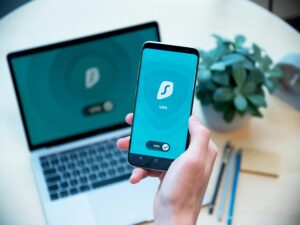
Remote employees often use multiple devices, including laptops, smartphones, and tablets, to access corporate resources. Each device is a potential attack vector if not properly secured.
- Install reputable antivirus software: Ensure it is regularly updated to detect and neutralize malware.
- Enable automatic system updates: Operating systems, browsers, and software patches fix known vulnerabilities and reduce exploitation risks.
- Use full disk encryption: Encrypting device storage protects data in case of theft or loss.
- Lock devices when not in use: Set screensavers with passwords and consider biometric authentication for added security.
- Disable unused features: Turn off Bluetooth, file sharing, and remote desktop access when not needed to minimize exposure.
A multi layered approach to device security ensures that even if a breach occurs, sensitive information remains protected.
Secure Your Home Network and Internet Connection

A secure network is the foundation of remote work cybersecurity. Home networks are often less secure than corporate environments, making them vulnerable to attackers. To safeguard your connection:
- Use a strong Wi Fi password: Avoid default router credentials and implement WPA3 encryption whenever possible.
- Enable a firewall: Most routers come with built-in firewalls. Ensure they are activated to block unauthorized access.
- Segment your network: Create a separate guest network for visitors and smart devices to prevent potential intrusions.
- Regularly update your router firmware: This ensures known vulnerabilities are patched and reduces attack surfaces.
- Use VPNs for remote access: Virtual Private Networks encrypt your internet traffic, making it difficult for hackers to intercept sensitive communications.
By implementing these measures, remote workers reduce the likelihood of network breaches and protect sensitive company data.
Strong Passwords and Multi Factor Authentication
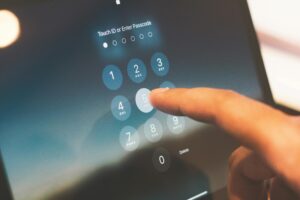
Weak credentials are one of the most common causes of data breaches. Remote workers must adopt robust authentication strategies:
- Use complex, unique passwords: Each account should have a combination of letters, numbers, and symbols.
- Implement password managers: Tools like 1Password or LastPass securely store and generate passwords, reducing the risk of reuse.
- Enable multi factor authentication (MFA): Even if a password is compromised, MFA provides an extra layer of security through OTPs, push notifications, or biometric verification.
- Change default credentials immediately: Any system, device, or software should have default passwords replaced before use
These practices drastically lower the risk of unauthorized account access, keeping company and personal data safe.
Secure Your Wi Fi Network
Home networks often lack proper protection. Take these precautions:
- Change default router passwords
- Use WPA3 encryption for stronger security
- Hide your network SSID to prevent external access
Always connect through secure networks, especially when handling sensitive data.
Keep Software and Devices Updated

Outdated software contains vulnerabilities that hackers exploit. Ensure:
- Operating systems and apps are current
- Security patches are installed promptly
- Antivirus software runs real time protection
Automatic updates reduce the risk of missing critical fixes.
Use a VPN for Remote Access
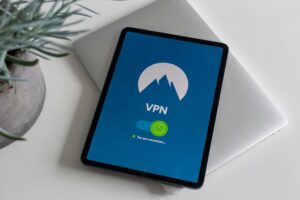
Virtual Private Networks (VPNs) encrypt your internet traffic. VPNs safeguard data from hackers, especially on public Wi Fi. Choose reliable VPN providers with strong privacy policies. Always activate the VPN when accessing company resources.
Email and Phishing Protection

Email remains the most common vector for cyberattacks targeting remote workers. Phishing attacks can compromise login credentials or introduce malware into your system.
- Verify sender authenticity: Check email addresses and avoid clicking suspicious links.
- Look for anomalies in content: Poor grammar, urgent requests, or unexpected attachments are red flags.
- Use email filtering solutions: Enterprise-level spam filters can block most phishing attempts before they reach your inbox.
- Report suspicious emails: Immediate reporting to IT teams prevents broader attacks on the organization.
Educating remote workers on recognizing phishing attempts is vital for maintaining cybersecurity across all teams.
Safe Online Behavior
Cybersecurity is not just about software; behavior matters.
Avoiding Suspicious Links and Emails
Be vigilant when receiving unexpected emails, messages, or pop-ups. Attackers often exploit curiosity or urgency.
Tips:
- Don’t click on unknown links
- Verify senders
- Report phishing attempts
Secure Cloud Storage Usage
Storing files on cloud platforms is convenient but risky without proper security:
- Use strong authentication
- Limit file sharing
- Regularly review access permissions
Device Encryption and Backup Strategies
Encrypting your devices ensures that even if they are stolen, your data remains inaccessible. Combine encryption with regular backups to avoid permanent data loss.
Backup best practices:
- Use a combination of local and cloud backups
- Schedule automatic backups
- Test restore processes regularly
Remote Collaboration Tools Security
Collaboration tools like Zoom, Microsoft Teams, and Slack have become essential. Securing them is critical:
- Use strong passwords for meetings
- Enable waiting rooms and user authentication
- Regularly review app permissions
Beware of Phishing Attacks
Phishing attempts target remote workers via email or messaging apps. Stay vigilant by:
- Avoiding links or attachments from unknown sources
- Verifying sender identities
- Reporting suspicious messages to IT teams
Training in recognizing phishing can prevent costly breaches.
Secure Your Work Devices
Your devices are the gateway to your company’s data. If they’re not secure, hackers can easily gain access to sensitive information. Here’s how to keep your work devices safe:
- Lock Your Screen – Always lock your computer or laptop when stepping away. Even a few seconds of unattended access can lead to data theft.
- Install Antivirus Software – Use trusted antivirus programs to detect and prevent malware, ransomware, and viruses.
- Enable a Firewall – Firewalls act as a barrier between your device and online threats, blocking unauthorized access.
- Regularly Update Your Devices – Ensure your operating system, apps, and drivers are up to date to patch security vulnerabilities.
- Use Device Encryption – Encrypt sensitive data to protect it even if your device is lost or stolen.
Think of these measures like installing multiple locks and alarms in your home. They add layers of protection that make it much harder for intruders to succeed.
Separate Work and Personal Use
Mixing personal and work activities on the same device can put both your private data and your company’s information at risk.
- Use Separate Devices – Ideally, use one device for work and another for personal use. This prevents accidental exposure of sensitive work files.
- Create Different User Profiles – If a separate device isn’t possible, create separate user accounts for work and personal use to isolate activities.
- Avoid Downloading Unnecessary Apps – Personal apps may contain malware or track your data, so keep your work environment clean.
- Limit Personal Browsing – Refrain from visiting risky websites or opening unknown attachments while logged into work accounts.
By separating work and personal use, you reduce the chances of accidental data leaks, making your remote setup safer.
Backup Your Data Regularly
Data loss can happen in a blink whether from a device failure, ransomware attack, or accidental deletion. Regular backups are essential.
- Cloud Backups – Store your work data in cloud services like Google Drive, OneDrive, or Dropbox. This ensures you can recover files from anywhere.
- External Hard Drives – Keep physical backups for offline protection, especially for sensitive or large files.
- Automate Backups – Set up automated backup schedules to avoid forgetting this important step.
- Multiple Backup Versions – Keep multiple copies of important files, including older versions, in case recent files are corrupted.
Think of backups like insurance for your data: you hope you never need it, but you’ll be grateful it exists when disaster strikes.
Protect Video Meetings and Collaboration Tools
Remote work relies heavily on online collaboration, making secure meetings critical.
- Secure Meeting Links – Always use password-protected meeting links and avoid posting links publicly.
- Enable Waiting Rooms – This allows hosts to control who enters the meeting and prevents uninvited guests.
- Restrict Screen Sharing – Limit screen sharing permissions to hosts or trusted participants only.
- Use Official Platforms – Stick to approved collaboration tools and avoid unauthorized apps that may compromise data.
- Monitor File Sharing – Be careful when sharing files through collaboration tools; verify recipient permissions and avoid sharing sensitive data publicly.
By implementing these practices, you reduce the risk of “Zoom-bombing,” unauthorized access, and accidental leaks of confidential information.
Be Cautious with Cloud Storage
Cloud tools are powerful but only when used securely.
Sharing Permissions
Grant access only to necessary people. Remove access when no longer needed.
Encrypt Sensitive Files
Encryption ensures that even if files are accessed, they remain unreadable without the key.
Understand Company Security Policies
Every organization has security guidelines for a reason.
Follow IT Guidelines
Stick to approved tools and software. Avoid shortcuts.
Report Security Incidents Immediately
The faster you report, the faster damage can be contained.
Build a Security First Mindset
Cybersecurity isn’t just a checklist, it is a mindset.
Continuous Learning
Stay updated on new threats. Cybercriminals evolve, and so should you.
Staying Alert in a Digital World
Pause before clicking. Question unusual requests. Trust your instincts
Secure Personal Devices
Many remote workers use personal devices for business. Protect them by:
- Installing antivirus and anti malware tools
- Enabling device encryption
- Locking devices with strong PINs or biometrics
Segment personal and work accounts whenever possible.
Lock Your Screen
Step away? Lock your device. It takes two seconds and prevents unauthorized access.
Install Antivirus and Firewall Protection
Reliable antivirus software and an active firewall act like security guards for your system.
Regular Data Backups
Data loss can disrupt work and compromise security. Backup strategies include:
- Cloud storage solutions with strong encryption
- External hard drives stored securely
- Scheduled automatic backups to ensure consistency
Regular backups ensure rapid recovery after an incident.
Limit Access and Permissions
Grant system access only to necessary team members. Over permission increases security risks. Use role based access controls and revoke old accounts. Monitor account activity for unusual behavior.
Educate Yourself and Stay Updated
Cybersecurity is constantly evolving. Remote workers should:
- Follow industry security blogs
- Attend webinars and training sessions
- Keep track of emerging threats
Awareness is a key defense against cyber attacks.
Monitoring and Responding to Threats
Proactive monitoring helps detect threats early. Tools and practices include:
- Antivirus and firewall alerts
- Suspicious activity logging
- Incident response plans
Secure Cloud Services and Data Storage
Remote work heavily relies on cloud storage, which, if mismanaged, can expose sensitive information. To secure data in the cloud:
- Use reputable cloud providers: Services like Google Workspace or Microsoft 365 offer enterprise grade encryption and security compliance.
- Encrypt sensitive files: Local encryption before uploading ensures only authorized users can access the data.
- Control access permissions: Grant access on a need-to-know basis and regularly review permissions.
- Regular backups: Maintain encrypted backups to protect against data loss due to ransomware or system failures.
A disciplined approach to cloud security protects both personal and corporate assets in a remote work environment.
Regular Security Training and Awareness
Cybersecurity is an ongoing process. Remote workers should continuously improve their knowledge to respond effectively to evolving threats.
- Conduct periodic training sessions: Teach employees about new attack vectors and safe online behavior.
- Simulate phishing attacks: Controlled exercises help workers identify real-world threats.
- Develop incident response protocols: Employees should know the steps to report and contain potential breaches.
- Promote a culture of security: Encourage vigilance and accountability for personal and organizational safety.
An informed remote workforce is the most effective defense against cyber threats.
Implement Endpoint Management and Monitoring
Organizations can further protect remote employees by deploying endpoint management solutions.
- Centralized device monitoring: Track device health, updates, and potential threats in real time.
- Remote wipe capabilities: In case of lost or stolen devices, sensitive data can be erased remotely.
- Automated compliance checks: Ensure all devices adhere to company security policies.
- Alert systems for suspicious activity: Early detection of anomalies prevents larger breaches.
This proactive approach minimizes risks and strengthens the organization’s overall cybersecurity posture.
It is possible to be 100% secure while working remotely
Cybersecurity best practices for employees
Cybersecurity risks working from home
Know When to Worry About Your Cybersecurity
As a remote worker, it’s important to recognize when your cybersecurity might be at risk. Not every minor glitch or slow device signals a breach, but certain behaviors and warning signs should immediately raise red flags. Knowing when to act can save your personal data and protect your company from cyberattacks. Think of it like noticing unusual activity in your home. Sometimes it’s nothing, but other times it’s a sign that someone may have broken in.
Immediate Actions to Take if You Suspect a Breach
If you notice suspicious activity or suspect your device or accounts have been compromised, act fast. Delaying could allow hackers to do more damage. Here’s what you should do immediately:
- Disconnect from the Internet – This prevents further unauthorized access or data theft.
- Change Your Passwords – Start with email, work accounts, and any sensitive online services. Make them strong and unique.
- Notify Your IT Department or Supervisor – Immediate reporting allows your company to contain the threat and prevent it from spreading.
- Run a Full Security Scan – Use your antivirus or endpoint protection to detect malware or viruses.
- Check Account Activity – Review recent login activity for unusual locations or devices.
Taking these steps quickly can minimize damage and help secure your data before it’s too late.
Warning Signs of Compromised Devices and Account
Recognizing early warning signs is key to stopping cyberattacks before they escalate. Watch out for:
- Unusual Device Behavior – Random crashes, unexpected pop-ups, slow performance, or apps opening on their own.
- Unauthorized Logins – Emails from services alerting you to logins from unknown locations or devices.
- Unexpected Account Activity – Password changes you didn’t make, missing files, or new programs installed.
- Strange Network Traffic – High data usage or unknown connections can indicate malware communicating with hackers.
- Phishing Emails – Receiving repeated suspicious emails may signal someone is trying to gain access to your accounts.
If you notice any combination of these signs, treat it as a potential security incident and follow the immediate actions above. Early recognition is your best defense against cyber threats.
Understand the Range of Cyber Threats Remote Workers Face
Remote work opens the door to flexibility but it also opens the door to cyber threats. When you work outside a traditional office, you lose some built in security protections. That makes understanding potential risks absolutely critical. Cybercriminals specifically target remote workers because home networks and personal devices are often easier to exploit.
From Malware to Ransomware: What Can Go Wrong
Cyber threats come in many forms, and each one can cause serious damage:
- Malware – Malicious software that infects your device, steals data, or spies on your activity.
- Ransomware – Locks your files and demands payment to restore access.
- Spyware – Secretly tracks your keystrokes and captures sensitive information.
- Trojan Viruses – Disguised as legitimate software but designed to create backdoors for attackers
One accidental click on a malicious link can trigger these threats. That’s why awareness is your first line of defense.
Specific Risks in Different Situations
Certain everyday habits can increase your exposure:
- Idle Devices – Leaving your laptop unlocked or unattended allows unauthorized access.
- Gaming on Work Devices – Downloading games from unverified sources can introduce malware.
- Unsecured File Sharing – Sharing sensitive documents without encryption or password protection can expose company data.
Small actions can lead to big security problems if you’re not careful.
Final Verdict: Make Cybersecurity a Daily Habit for Remote Work
Cybersecurity isn’t something you think about once and forget. It is a daily habit just like locking your door before leaving home.
How Consistent Practices Protect Your Data and Reputation
When you consistently follow secure practices:
- You reduce the risk of data breaches.
- You protect your professional reputation.
- You prevent financial and legal consequences.
- You build trust with your employer and clients.
Consistency is what turns simple security steps into powerful protection.
Protect Your Devices with These Essential Cybersecurity Tips for Remote Workers
Your laptop, phone, and tablet are gateways to sensitive information. If they’re compromised, everything connected to them is at risk.
Why Device Security Matters for Remote Work
Remote workers rely heavily on devices to access company systems, emails, and databases. Without proper protection, hackers can gain entry within minutes. Securing your device means securing your workplace.
Common Causes of Device Vulnerabilities
- Outdated software
- Weak passwords
- Downloading apps from untrusted sources
- Disabled firewalls
- Lack of antivirus protection
Keeping devices updated and secured reduces these vulnerabilities dramatically.
Secure Your Internet Connection to Prevent Data Theft
Your internet connection is the highway that carries your data. If it’s not secure, anyone nearby could intercept your information.
Why Remote Networks Are Risky
Home networks often lack enterprise-level security. Default router passwords, outdated firmware, and weak encryption create easy entry points for attackers.
Home Wi Fi, Public Wi Fi, and VPN What You Need to Know
- Home Wi Fi – Secure it with strong encryption and a unique password.
- Public Wi Fi – High risk because hackers can intercept data on open networks.
- VPN– Encrypts your connection, making it safer when accessing sensitive information.
If you must use public Wi Fi, always use a VPN.
Spot Phishing Emails and Scams Before They Harm You
Phishing remains one of the most dangerous threats to remote workers.
Why Phishing Is a Major Threat for Remote Workers
Remote employees rely heavily on email communication. Hackers exploit this by sending fake messages that appear legitimate, often pretending to be managers, IT departments, or trusted companies.
How Hackers Trick Users with Fake Emails and Links
Common tactics include:
- Creating urgency
- Mimicking official email addresses
- Including fake login pages
- Sending malicious attachments
Always verify before clicking. When in doubt, contact the sender directly through official channels.
Practical Solutions to Stay Safe Online
Cybersecurity doesn’t have to be complicated. Simple tools and habits make a big difference.
Using VPNs, Antivirus, and Secure File Sharing Practices
- Install reputable antivirus software.
- Use a VPN when accessing company systems remotely.
- Encrypt sensitive files before sharing.
- Avoid sending confidential data through unsecured platforms.
Strong Passwords, Two Factor Authentication, and Updates
Use long, complex passwords.
- Enable two factor authentication (2FA) on all work accounts.
- Turn on automatic software updates.
- Layered security makes it much harder for attackers to succeed.
What Are the Best Free Tools for Securing Remote Work?
Several free tools can strengthen your security:
- Free antivirus programs (basic protection versions)
- Free password managers
- Built in firewall tools in operating systems
- Free VPN versions (with limited features)
- Secure cloud storage platforms with encryption
While premium tools offer more features, free versions still provide essential protection for many remote workers.
How Can I Identify a Phishing Email Quickly?
You can quickly spot phishing emails by checking:
- The sender’s email address for slight misspellings
- Suspicious links (hover to preview the URL)
- Generic greetings like “Dear User”
- Poor grammar or spelling
- Urgent or threatening language
If something feels off, don’t click. Verify first.
Is Using Public Wi Fi Always Dangerous?
Public Wi Fi is not always dangerous but it is risky. Open networks allow hackers to intercept unencrypted data. Sensitive tasks like banking, accessing company files, or entering passwords should never be done on unsecured networks without a VPN. Treat public Wi Fi like a public conversation assuming someone could be listening.
Risks of Mixing Work and Personal Activities
Using your work device for personal browsing, gaming, or downloading apps increases your risk of infection. Personal activities may expose your device to malicious websites or unsecured downloads.
Risks include:
- Malware infections
- Data leaks
- Unauthorized access to company files
- Accidental sharing of sensitive information
The safest practice is to separate work and personal use whenever possible. If that’s not possible, create separate user accounts and avoid risky online behavior on work devices.
Best Practices for Device Separation
- Use separate devices if possible\
- Create separate user accounts
- Avoid installing unnecessary apps on work devices
Common Mistakes to Avoid
Even with strong measures, small errors can undermine security:
- Using weak passwords
- Connecting to unsecured Wi Fi
- Sharing devices with family members
Safe Remote Collaboration Practices
Remote teams often rely on video conferencing, messaging apps, and collaborative platforms, which can be targeted by attackers. To ensure safe collaboration:
- Use official software channels: Avoid downloading software from unverified websites to prevent malware infections.
- Enable meeting security features: Set passwords, enable waiting rooms, and restrict screen sharing to hosts only.
- Be cautious with shared links: Only share sensitive documents via secure channels.
- Regularly audit collaboration platforms: Remove inactive users and disable unused features to minimize exposure.
Adopting secure collaboration methods ensures productivity without compromising cybersecurity.
Cybersecurity Policies and Training
Companies should provide employees with cybersecurity guidelines and training to ensure consistent security practices.
Key points:
- Regular online training sessions
- Clear reporting procedures
- Compliance with legal and industry standards
Avoid Public Wi Fi Risks
Why Public Wi Fi Is Dangerous
Public networks are often unsecured. Hackers can intercept data easily.
Safer Alternatives
- Use a personal hotspot
- Use a VPN
- Avoid accessing sensitive data
Cybersecurity best practices for employees
Cybersecurity isn’t just the responsibility of the IT department, it is the job of everyone. Every employee plays a crucial role in protecting company data, especially in remote or hybrid work environments. A single careless click can expose sensitive information, but simple daily habits can dramatically reduce risks.
Here are essential cybersecurity best practices every employee should follow:
- Use Strong, Unique Passwords – Avoid predictable passwords. Use long combinations of letters, numbers, and symbols, and never reuse passwords across accounts.
- Enable Multi Factor Authentication (MFA) – Adding a second verification step greatly reduces unauthorized access.
- Keep Software Updated – Regular updates patch security vulnerabilities that hackers actively exploit.
- Be Alert to Phishing Attempts – Always double-check email senders, links, and attachments before clicking.
- Use Secure Wi Fi Connections – Avoid public Wi-Fi or use a VPN when accessing company systems.
- Lock Devices When Not in Use – Even at home, protect your computer from unauthorized access.
- Follow Company Security Policies – Stick to approved tools, software, and communication channels.
Think of cybersecurity like workplace safety. Just as you wouldn’t ignore a fire hazard in an office, you shouldn’t ignore digital risks either. Consistent, cautious behavior is the strongest defense.
Cybersecurity risks working from home
Working from home offers flexibility and comfort—but it also introduces unique cybersecurity risks. Unlike corporate offices, home environments often lack enterprise-grade security protections, making them attractive targets for cybercriminals.
Here are the most common cybersecurity risks remote workers face:
- Unsecured Home Networks – Weak Wi Fi passwords or outdated routers can allow hackers to intercept data.
- Phishing and Social Engineering Attacks – Cybercriminals often target remote workers through fake emails or urgent messages.
- Use of Personal Devices – Personal laptops or smartphones may lack proper security controls and monitoring.
- Public Wi Fi Exposure – Working from cafes or public spaces increases the risk of data interception.
- Shadow IT – Using unauthorized apps or tools without company approval can create security gaps.
- Lack of Physical Security – Devices left unattended at home or in shared spaces can be accessed by others.
- Ransomware Attacks – Remote workers are frequent targets because they may not have strong backup systems in place.
The biggest risk? A false sense of security. Just because you’re at home doesn’t mean you’re safe from cyber threats. In fact, hackers often see home networks as easier targets.
By understanding these risks and applying strong cybersecurity practices, employees can safely enjoy the benefits of remote work without exposing themselves or their organizations to unnecessary danger.
Conclusion
Remote work offers flexibility but comes with risks. Following strong password practices, using VPNs, and keeping software updated ensures safety. Consistently practicing these cybersecurity tips protects both professional and personal data.Adopting these strategies strengthens your digital security and reduces vulnerabilities in a remote work environment.
FAQs
1. What is the biggest cybersecurity threat for remote workers?
Phishing and malware are the most common threats. Remote workers should remain cautious of suspicious emails and downloads.
2. How often should I update my passwords?
Passwords should be updated every 3 to 6 months or immediately if a breach is suspected.
3. Do I need a VPN at home?
Yes, a VPN encrypts internet traffic, protecting sensitive data even on secure networks.
4. Can mobile devices be hacked easily?
Yes, unsecured apps or outdated operating systems increase vulnerability. Always update your device and apps.
5. Is cloud storage safe for work files?
Cloud storage is safe if you use strong authentication, manage permissions, and encrypt sensitive files.
6. What should I do if my device is compromised?
Disconnect it from the internet, notify IT immediately, and follow incident response protocols.


